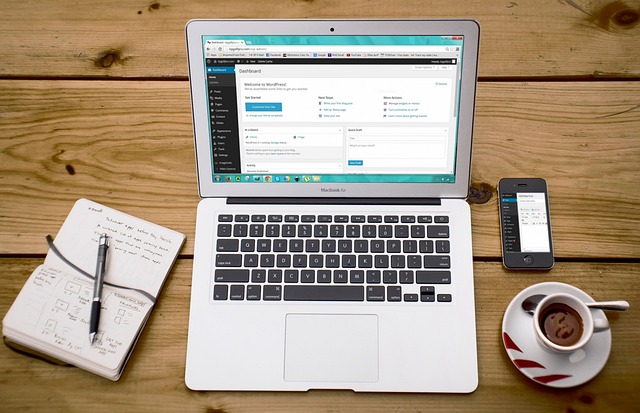
Blogging with WordPress is one of the most powerful ways to share your ideas, grow an audience, and build a business online. WordPress powers more than 40% of all websites in the world, and for good reason. It’s flexible, user-friendly, SEO-friendly, and can be customized to suit any type of blog — from personal diaries to full-scale online magazines.
Whether you are just starting out or looking to improve your existing blog, this complete guide will walk you through everything you need to know about creating, designing, writing, optimizing, and growing a successful WordPress blog.
Why Choose WordPress for Blogging
WordPress is the most popular blogging platform because it is open-source, easy to use, and extremely customizable. You can start with a simple blog and scale it into a multi-author publication or a business website. WordPress supports thousands of themes and plugins, which allow you to change your design and add new features without coding. It is also SEO-friendly right out of the box, meaning your content has a better chance of ranking on Google. Another reason WordPress is preferred is that it gives you full control over your content compared to platforms like Medium or Blogger. You own your website, your audience, and your data.
Setting Up WordPress
To start blogging with WordPress, you first need a reliable hosting provider and a domain name. Choose a hosting company that offers one-click WordPress installation, good speed, and 24/7 support. Popular options include SiteGround, Hostinger, Bluehost, WPX Hosting, and Kinsta. Pick a domain name that is short, memorable, and relevant to your blog topic. Once WordPress is installed, log in to your dashboard and familiarize yourself with the interface. The dashboard is where you will create posts, manage media, install themes, and customize your site.
Choosing a Blogging Niche
Picking a niche is one of the most important steps to starting a successful blog. Your niche determines your target audience and the type of content you will create. Choose a topic you are passionate about and one that has an audience interested in reading about it. Some popular niches include personal development, health and fitness, technology, travel, food, finance, and lifestyle. It’s better to start narrow and become an authority in a specific area before expanding into broader topics.
Selecting a Theme for Your Blog
Your theme is the design framework of your WordPress blog. Select a lightweight, fast-loading, and mobile-responsive theme that suits your style. Popular free and premium themes for blogging include GeneratePress, Astra, Kadence, Blocksy, and Neve. Look for themes that are optimized for SEO, compatible with the block editor, and allow easy customization. You can change colors, typography, and layouts to match your brand. Avoid themes that are overly bloated with unnecessary features that slow down your site.
Installing Essential Plugins
Plugins add extra functionality to your blog without requiring coding skills. Some must-have plugins for WordPress bloggers include Rank Math or Yoast SEO for on-page SEO optimization, WP Rocket or LiteSpeed Cache for speed optimization, UpdraftPlus for automatic backups, and Akismet to protect against spam comments. If you plan to collect email subscribers, use an email marketing plugin like MailPoet or integrate with ConvertKit or Mailchimp. For analytics, install the Site Kit by Google plugin to track traffic and performance.
Creating Your First Blog Post
Once your site is set up, it’s time to create your first post. Go to Posts → Add New and use the WordPress block editor to add headings, paragraphs, images, and other elements. Structure your post for readability by using short paragraphs, subheadings, and bullet points. Write with your audience in mind and focus on providing value. Aim for evergreen content that will stay relevant over time. Before publishing, preview your post to check formatting and run an SEO analysis using your SEO plugin to ensure proper keyword placement, meta description, and internal links.
Writing High-Quality Content Consistently
Consistency is key to blogging success. Create a content calendar to plan your topics in advance and publish regularly. High-quality blog posts should be informative, engaging, and well-researched. Use a mix of tutorials, list posts, how-to guides, and opinion pieces to keep your audience engaged. Incorporate storytelling where possible and include actionable takeaways so readers leave with something they can implement.
Optimizing Your Blog for SEO
Search Engine Optimization is crucial to growing your blog’s organic traffic. Use your SEO plugin to set meta titles, meta descriptions, and focus keywords. Optimize your URLs to be short and descriptive. Use internal links to connect related posts and keep visitors on your site longer. Add alt text to images to improve accessibility and SEO. Focus on building high-quality backlinks by writing guest posts or collaborating with other bloggers in your niche. Make sure your site loads quickly, as speed is a ranking factor.
Promoting Your Blog
Creating great content is only half the battle. You need to promote your blog to reach readers. Share your posts on social media platforms such as Facebook, Instagram, LinkedIn, Pinterest, and X (formerly Twitter). Join niche-specific forums and communities to share your expertise and drive traffic back to your site. Build an email list and send newsletters regularly to keep your audience engaged. Networking with other bloggers through collaborations and link exchanges can also help grow your readership.
Monetizing Your Blog
Once you have consistent traffic, you can monetize your WordPress blog in multiple ways. Popular monetization methods include display ads through Google AdSense, affiliate marketing by recommending products with affiliate links, sponsored posts from brands, selling your own digital products like eBooks or online courses, and offering consulting or services. Choose monetization strategies that align with your audience and provide value. Avoid filling your site with intrusive ads, as they can hurt user experience.
Maintaining and Updating Your Blog
A successful blog requires ongoing maintenance. Keep WordPress, themes, and plugins updated to ensure security and compatibility. Backup your site regularly so you can restore it if anything goes wrong. Check for broken links, update outdated content, and refresh posts that are losing rankings. Monitor your site speed and optimize images periodically to keep performance high. Engage with readers through comments and emails to build a loyal community.
Tracking and Improving Performance
Use Google Analytics and Google Search Console to track traffic, user behavior, and keyword rankings. Analyze which posts are performing well and double down on similar content. Pay attention to bounce rates and time on page to identify areas for improvement. Experiment with new content formats, headlines, and layouts to see what resonates most with your audience.
Final Thoughts
Blogging with WordPress remains one of the best ways to share your voice, build authority, and create a source of income online. By choosing the right niche, setting up a professional-looking website, writing valuable content, optimizing for SEO, and consistently engaging with your audience, you can turn your blog into a long-term asset. WordPress gives you all the tools you need to grow, so focus on quality, consistency, and performance — and your blog can thrive in 2025 and beyond.